Review Patch Catalog contents
|
|
NOTE: Patch management requires a separate KACE Cloud Secure license for devices managed with a Modern or Co-Managed subscription, while it is included for devices managed with a Companion Edition subscription. |
The Patch Catalog allows you to filter and view all of the patches within the catalog. This can be done without a patching license.

To access the Patch Catalog:
- Select the Libraries tab in top navigation.
- Click the Patching icon.
- In the Patching Library that appears, open the Patch Catalog tab.
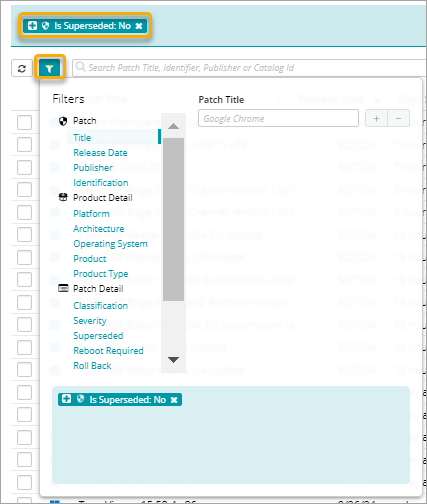
The Patch Catalog inventory appears. By default, it lists all patches that are not superseded.

TIP: A superseded patch is a patch that is replaced with the latest version of the same patch. In most cases you do not need to review or apply superseded patches. You can configure the inclusion (or exclusion) of superseded patches during a patch scan and install event in the main KACE Cloud Patching settings. For details, see Configure KACE Cloud Patching settings.
- From here, you can edit the existing patch filter to better suit your needs by removing the existing filters, or adding new elements to it. For details, see Create and edit Patch Filters.
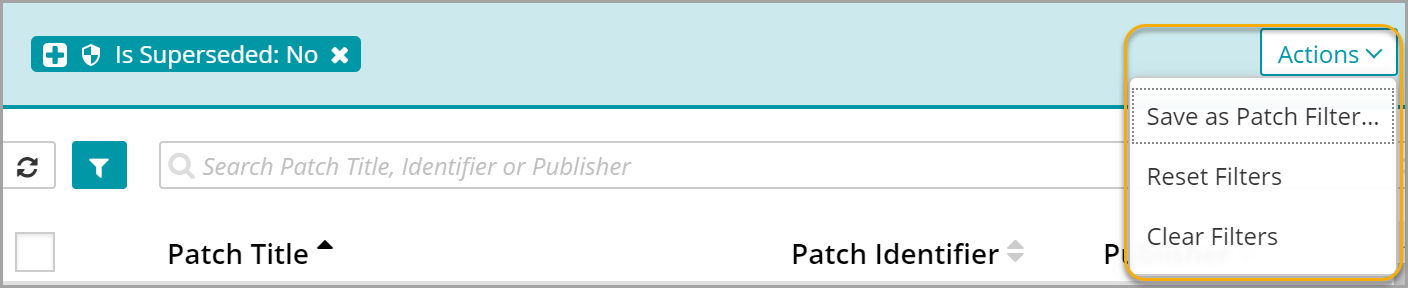
- To clear or reset the filter, or to save the current filter for later use, click Actions, and from the menu that appears, select the applicable command.